現在のところ、最新のfirmwareは19.11.05に公開された1.2.12となっています
rumble module(ZM-2)を使用する場合には導入前に1.2.5以上が必須となっています
oplab module(ZM-1)はfirmwareの制限は無いようです
<firmware更新の仕方>
アップグレードモードで起動

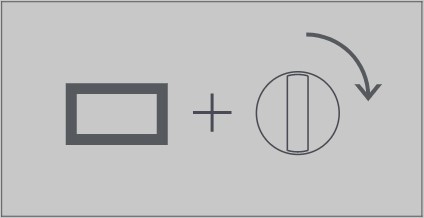
天面にならんだ4つのボタンの内向かって一番右の四角(これ、スクリーンボタンと言うんですけどね)を押しながら電源をONします
パソコン;WindowsでもMacでもOKに繋げる
パソコンにはUSBメモリと同様に認識されますので・・・

著者の環境ではOP-ZはUSBドライブ(D:)として認識
中にはsysteminfoというフォルダと、how_to_upgrade.txtというテキストファイルのみ
このテキストファイルをダブルクリックするとアップグレードのやり方が書いてあるのですが
要約すると
1. download the latest OP-Z firmware from http://teenage.engineering
TO公式から最新のファームウェアダウンロードしてね
2. drop the firmware file in this folder (the root folder)
そのダウンロードしたファームウェアファイルをそのまんま「この」フォルダ(つまりはこのhow_to_upgrade.txtの入っている「この」フォルダを指す)にコピーしてね
3. eject the disk
ディスクの取り出しを行ってね、自動的にアップグレードが開始するよ
4. wait for the upgrade to finish, do not turn off the synth.
アップグレードが完了するまで待ってな、OP-Zの電源消したらイカンよ
5. upgrade is completed when the four LEDs are green.
アップグレードが完了したら、全部のフロントパネルLED(緑、青、黄、赤のホイール左下のLED)が緑色に点灯するよ
note: at any point during the upgrade process, all front panel LEDs
might be turned off. this is normal and means that the CPU that controls
the LEDs is being upgraded. instead, the LED on the left side of the unit,
next to the volume knob, will be blinking green.
アップグレードしてる途中で、全部のフロントパネルLEDが消えることがあるよ
これは正常な動作で、LEDを制御するCPUがアップグレードされて起きる事象
代わりにボリュームノブの横にあるLEDが緑色に点滅しているはずだよ
note: if the unit shows four red LEDs, it means that the upgrade failed.
restart your unit and check the upgrade.log file for errors.
often just repeating the upgrade process above, making sure to carefully
follow each step, will result in a successful upgrade.
全部のフロントパネルLED4つともの赤いLEDが表示されている場合は
アップグレードが失敗したことを意味しているよ
OP-Zを再起動してsysteminfoフォルダに入っている
upgrade.logファイルでエラーを確認しよう
多くの場合は上記のアップグレード方法を繰り返し行って
あせらず慎重に各手順を実行するとアップグレードが成功するよ
Teenage Engineering公式ページがダメな時はこちらへどうぞ

 Synthesizer 2 Go